
Connect to the Webeyez MCP
Webeyez MCP Server
Setup, connection, and tool reference for the Webeyez Model Context Protocol server.
Installation
You do not need to install the server globally. The package can be run directly using npx:
npx -y @webeyez/mcp-serverGetting Your API Key
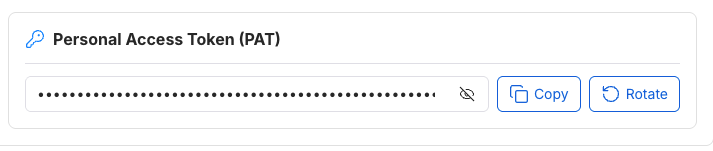
All connection methods require a Personal Access Token (PAT). You can find it in the User Settings section of the Webeyez app. Copy this token and use it as the value for the WEBEYEZ_API_KEY environment variable (or the authentication header for SSE).
Connection Setup
The Webeyez MCP server supports both a standard local stdio connection (using the NPM package as a secure proxy) and direct web-based SSE connections.
Option 1 Claude Desktop (Local stdio Proxy)
Add the server to your claude_desktop_config.json configuration file:
- macOS: ~/Library/Application Support/Claude/claude_desktop_config.json
- Windows: %APPDATA%\Claude\claude_desktop_config.json
{
  "mcpServers": {
    "webeyez": {
      "command": "npx",
      "args": [
        "-y",
        "@webeyez/mcp-server"
      ],
      "env": {
        "WEBEYEZ_API_KEY": "your_webeyez_api_token_here"
      }
    }
  }
}
Option 2 - IDE / Editor (Cursor, Windsurf, Cline)
Configure your editor to run the MCP proxy as a shell command:
- Open your editor's Settings > Features > MCP (or equivalent).
- Add a new MCP server with type command.
Set the command to:
npx -y @webeyez/mcp-serverDefine the environment variable:
- Key: WEBEYEZ_API_KEY
- Value: [Your personal access token / API key]
Option 3 - Remote Server-Sent Events (SSE)
Web-based clients and custom applications can connect directly to the Webeyez SSE endpoint without any local installation:
- SSE Endpoint: https://api.app.webeyez.com/mcp
- Authentication: Pass your token in the x-api-key header or as a token URL query parameter.
Environment Variables
Variable description
- WEBEYEZ_API_KEY Required. Your personal API Key or Personal Access Token (PAT). This can be found in the Webeyez user settings page
- WEBEYEZ_MCP_URL Optional. Overrides the default hosted Webeyez MCP gateway endpoint (default: https://api.app.webeyez.com/mcp).
Security & Architecture
The Webeyez MCP server uses a secure hybrid model:
- Lightweight Gateway: The published NPM package is a transparent proxy. It contains no local business logic or database drivers, preventing intellectual property exposure.
- Standard stdin/stdout: The proxy listens on standard streams, ensuring full compatibility with all standard MCP hosts (e.g. Claude Desktop, Cursor).
- Encrypted HTTPS/SSE Tunnel: Messages are securely routed from the proxy over TLS to the hosted Webeyez endpoints, where authentication and query processing take place.