Integrating Slack with Webeyez
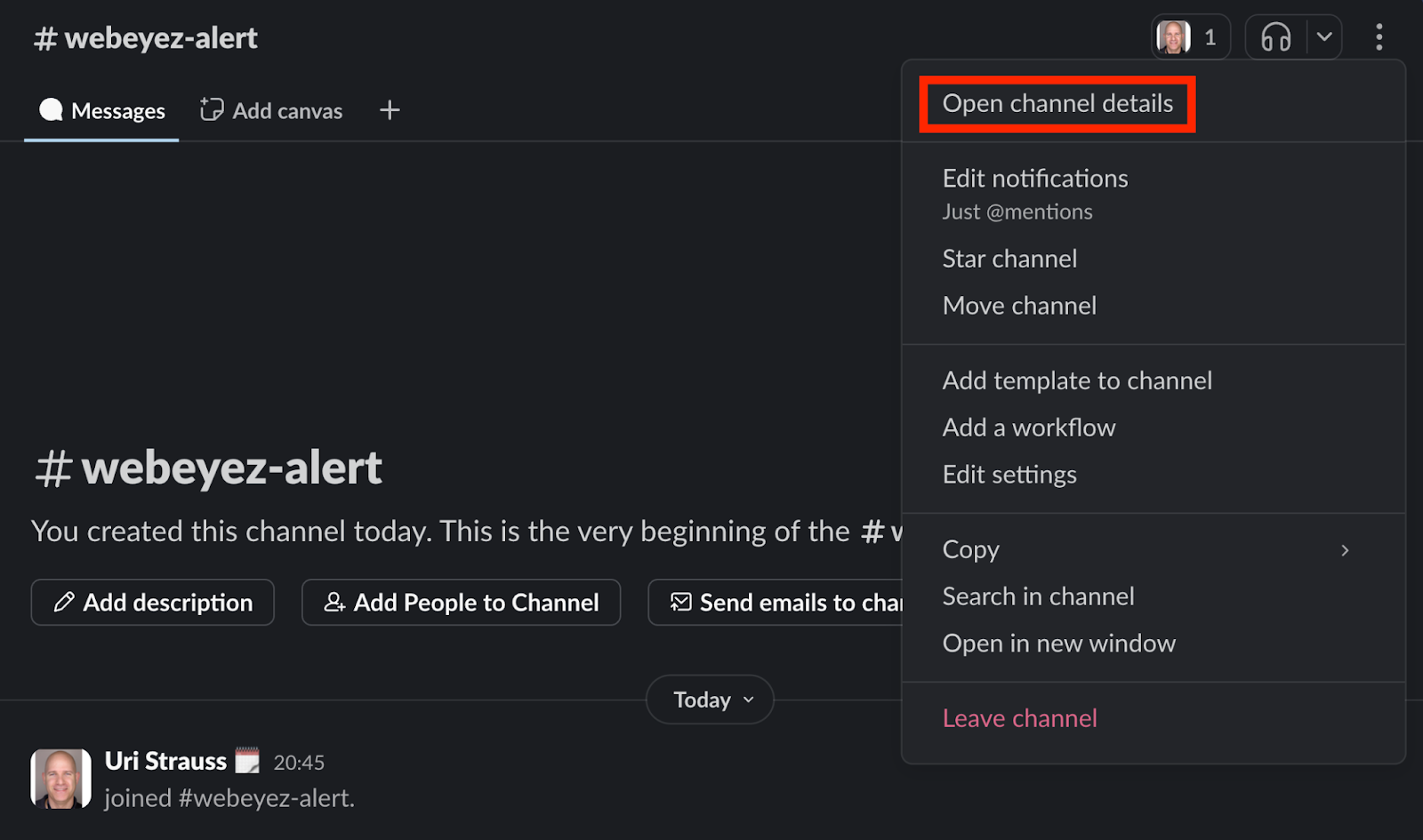
- Create a slack channel for the Webeyez alerts, click on the top right menu and choose “Open channel details”
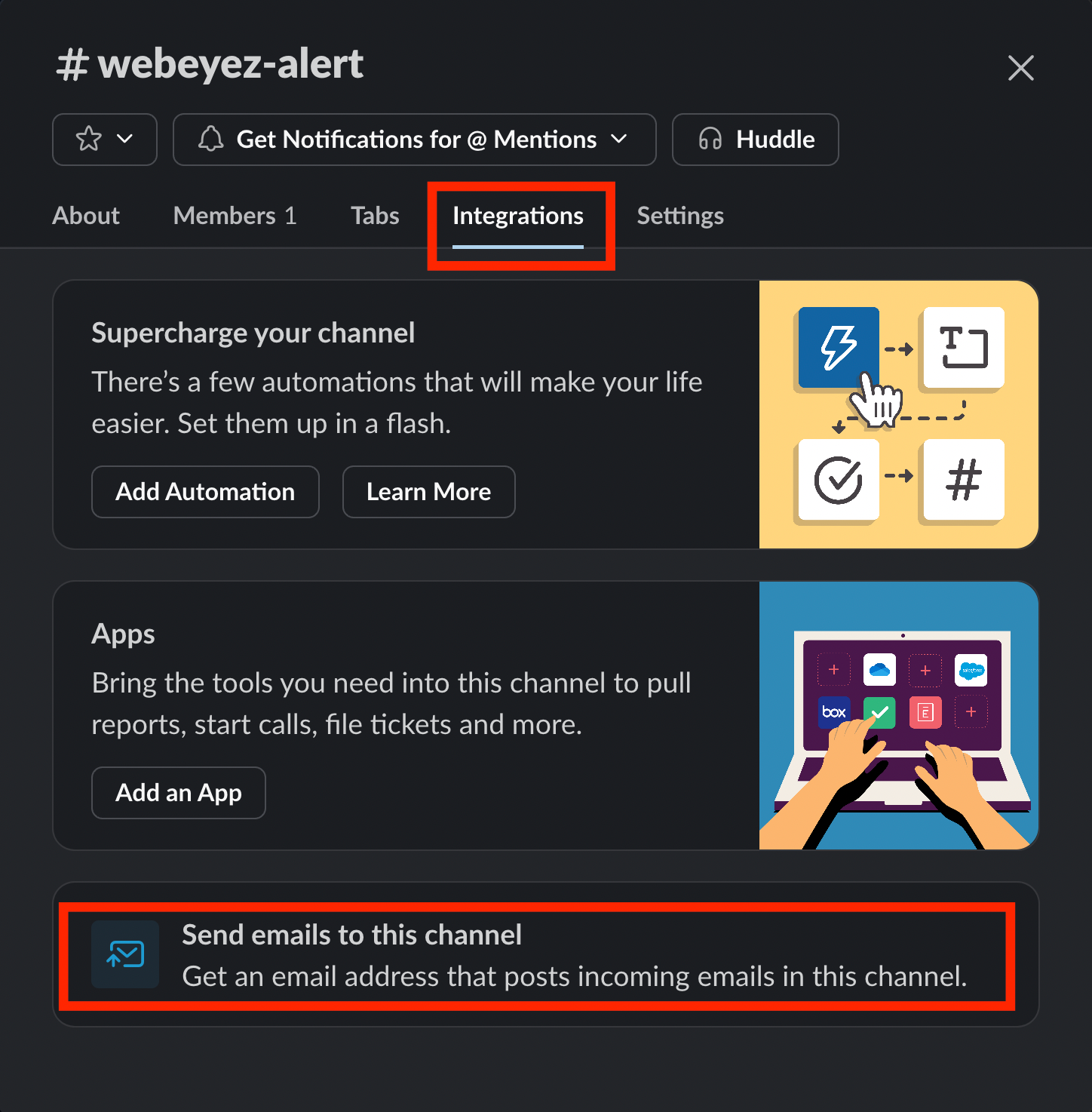
- On the Integrations tab click on “send emails to this channel”
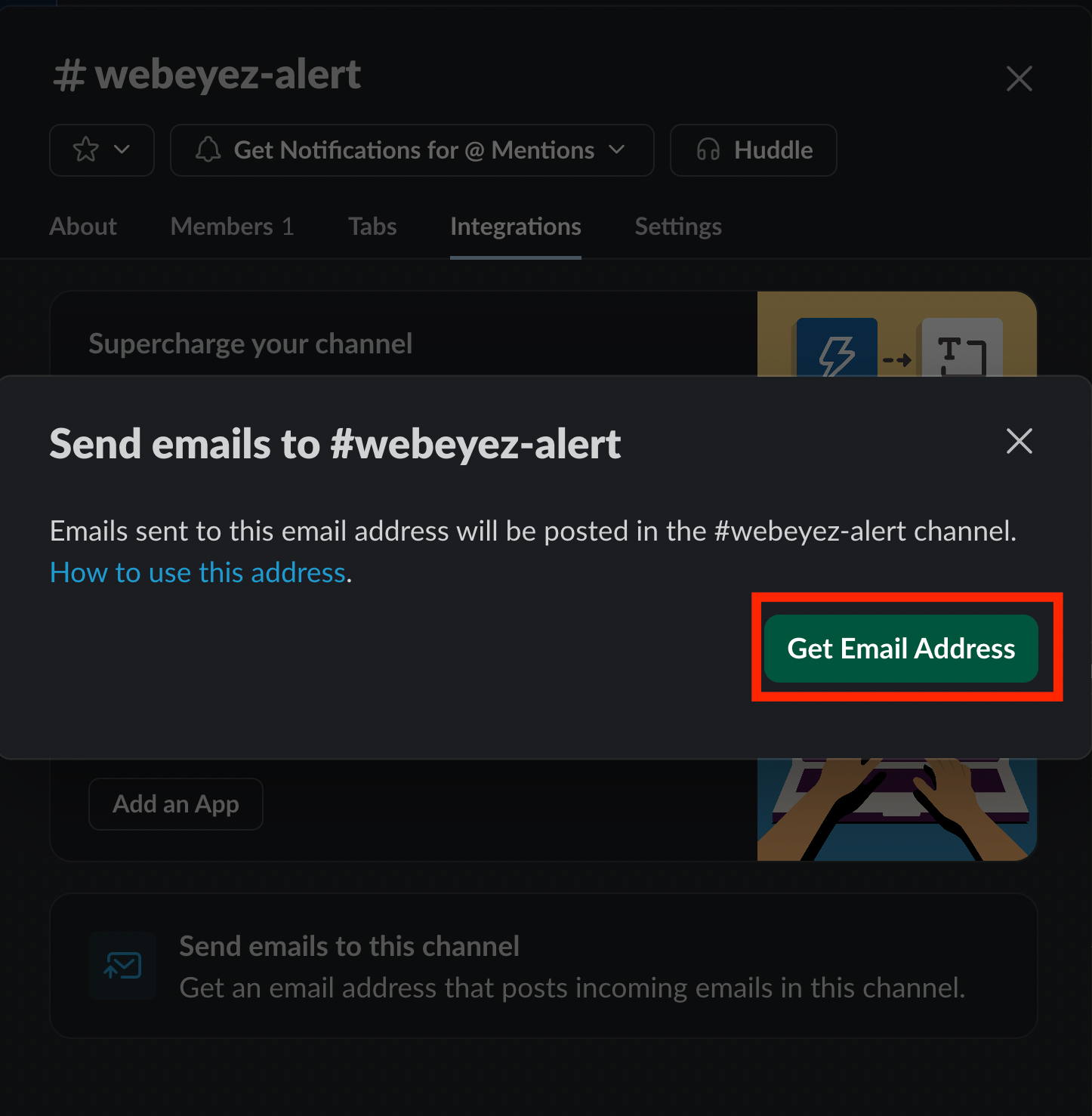
- Click on “Get Email Address”
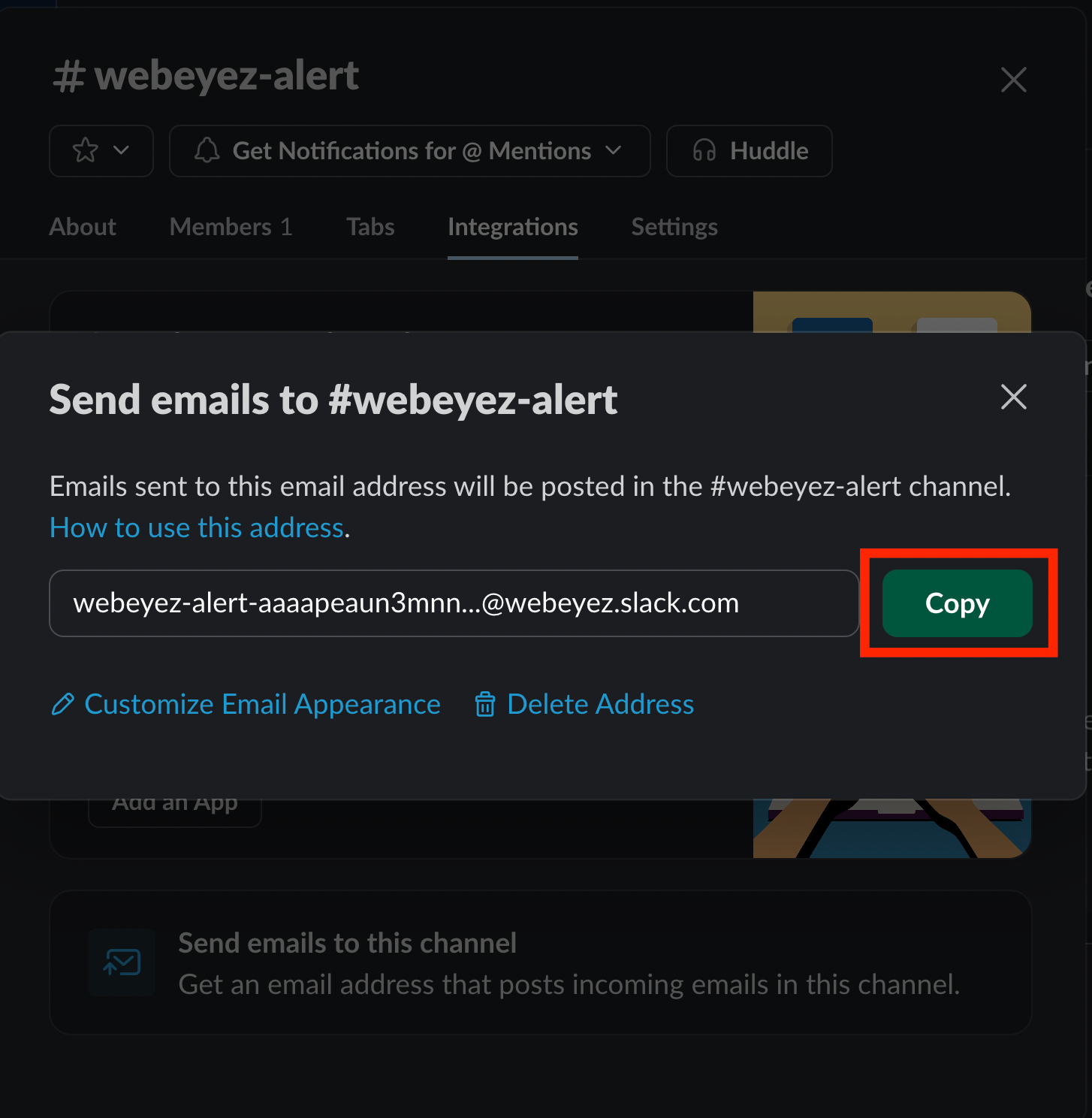
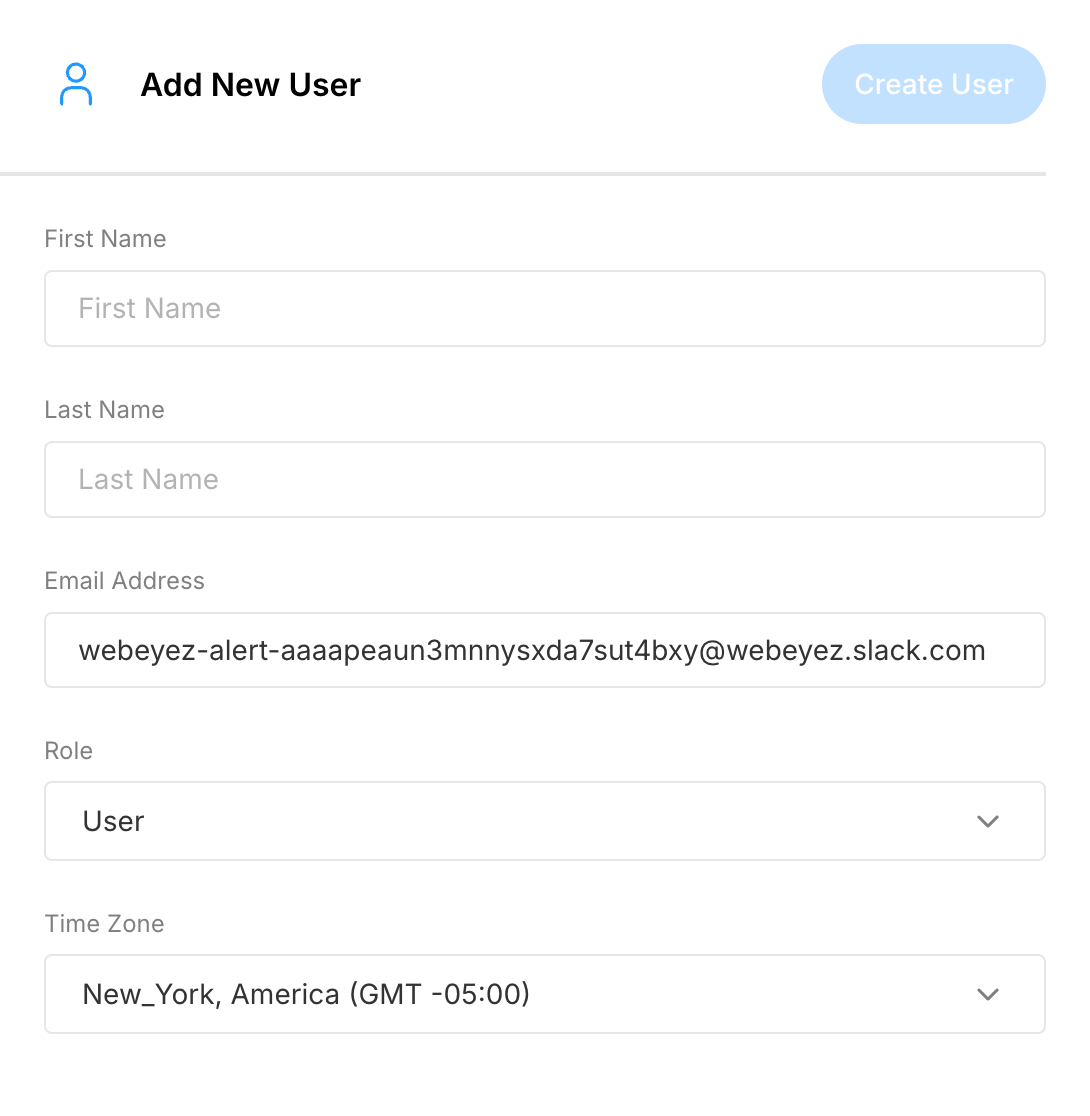
- Copy the email that was generated for this channel.
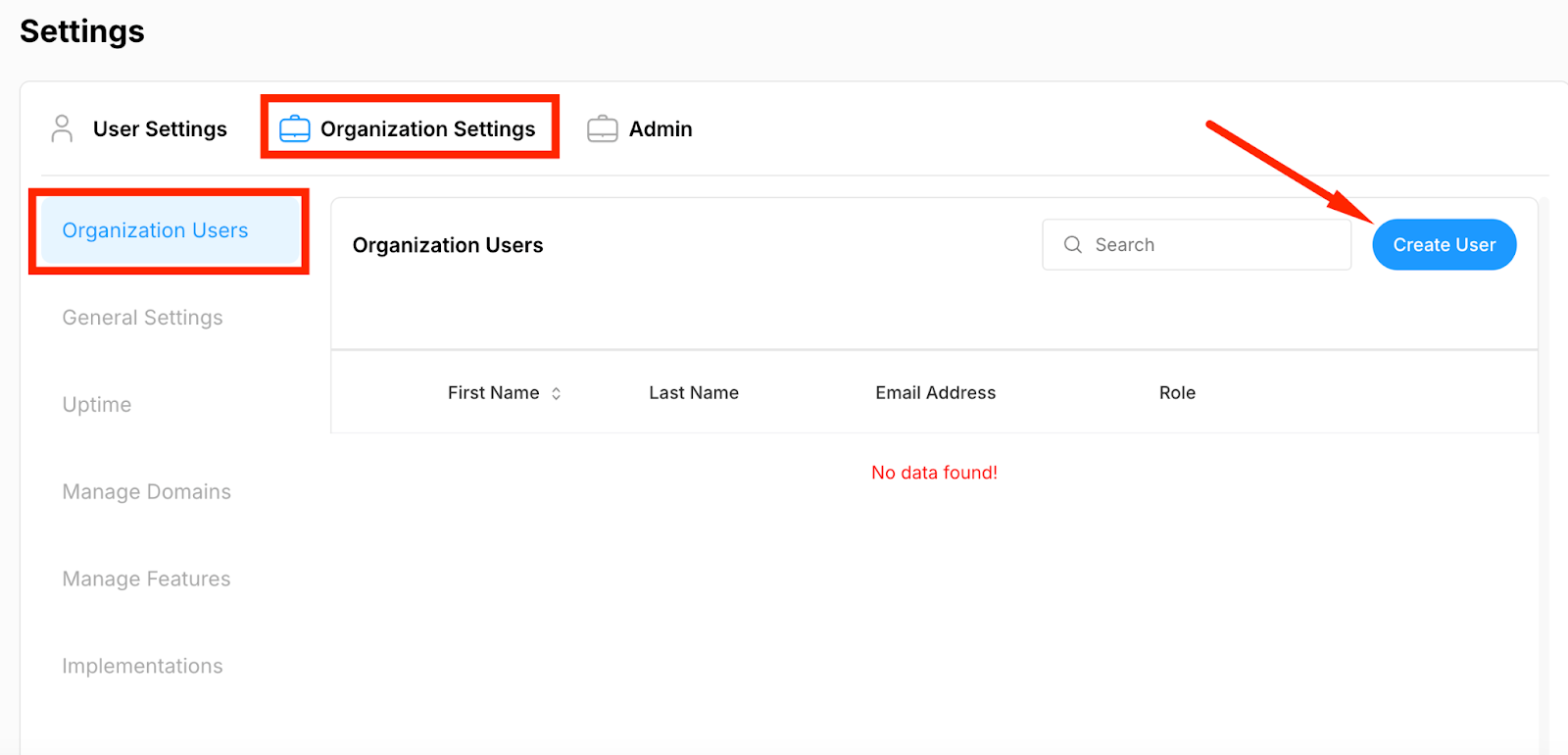
- Create an account on Webeyez with the slack email address